Linux has always impressed me with how much it makes possible. The tools are there. The flexibility is there. And the community has built an incredible foundation that lets anyone shape their environment the way they want.
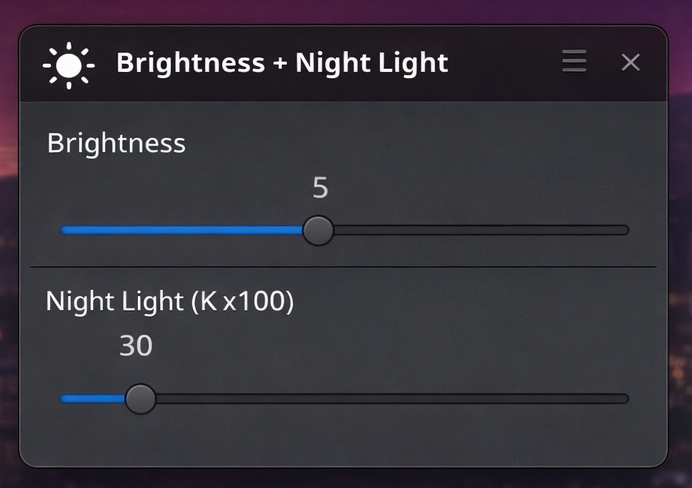
While setting up a minimal X11 system, I wanted something simple and accessible: a small window with sliders to adjust screen brightness and night light.
The core capabilities already exist thanks to projects like Redshift and the broader Linux ecosystem. What I built is just a thin layer on top — a lightweight interface that brings brightness and color temperature into one small, focused utility.
You can find it here:
https://github.com/namar0x0309/x11-brightness-nightlight-sliders
The goal wasn’t to reinvent anything. It was to connect existing open source tools in a way that feels immediate and convenient. The script installs what it needs, creates a small launcher, and gives you a compact window with two sliders. That’s it.
I’m grateful that open source makes this kind of experimentation possible. Projects like Redshift and YAD do the heavy lifting. This utility simply composes them into a small experience that fits well in minimal setups.
If you’re running X11 and want quick access to brightness and night light controls without a full desktop environment, this might be useful. And if nothing else, it’s another reminder of how powerful small, composable tools can be.